
The Crucible launcher Shop tab
The Shop tab in the Crucible launcher is where you pick a plan for a paid app and where the free downloads live. Buying and managing a plan is covered in full in licenses and account; this page is the tour of the tab itself.
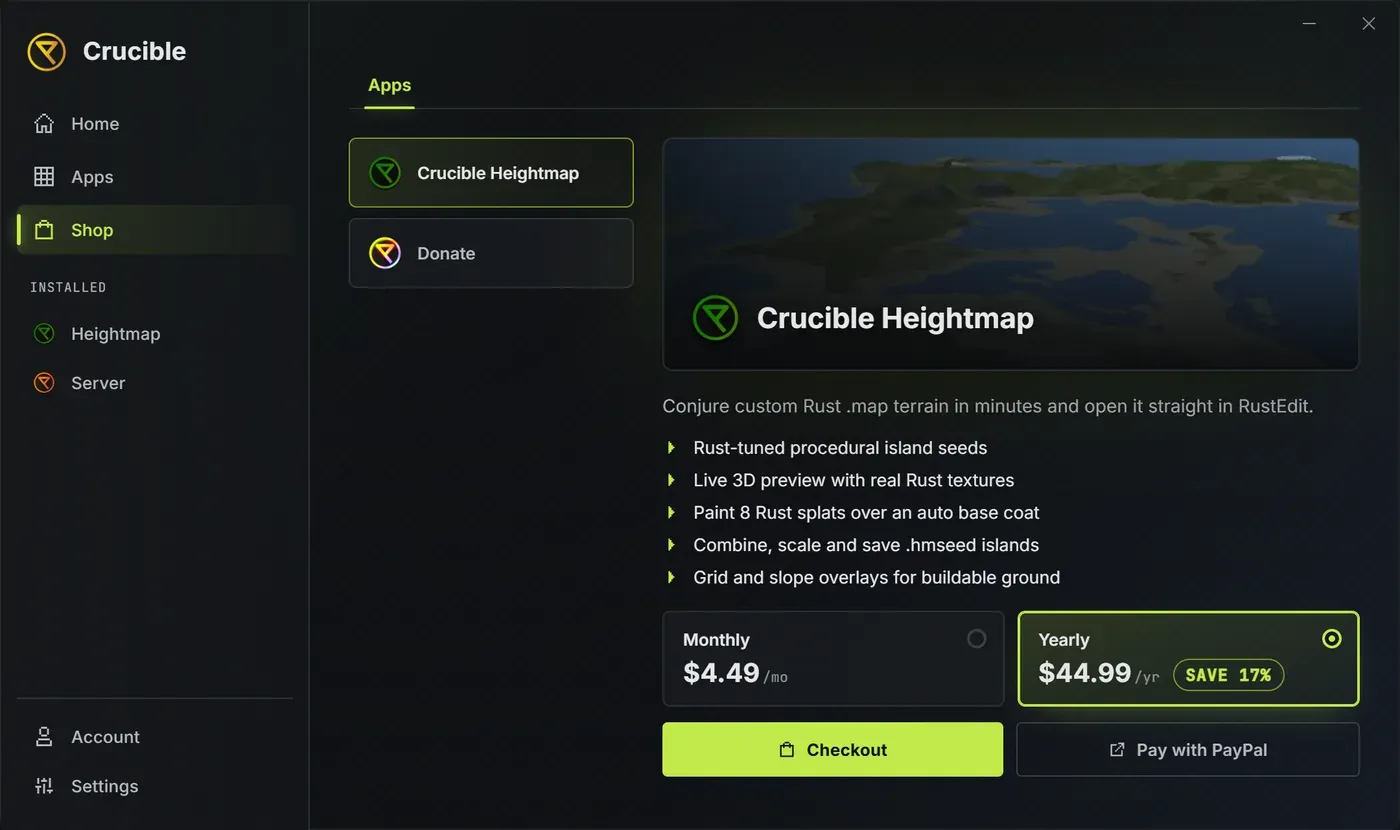
What is on the Shop tab?
Section titled “What is on the Shop tab?”Tabs run across the top:
- Apps holds the paid apps and Donate.
- Plugins, Prefabs, Maps and Extras are free downloads. See free downloads.
- Checkout appears at the far right while you are paying. Its X closes the checkout and takes you back to Apps.
How do I pick a plan?
Section titled “How do I pick a plan?”- In Apps, pick a product in the list on the left. The banner and a short feature list show what it does.
- Choose Monthly or Yearly. Yearly saves you 17 percent and is preselected.
- Press Checkout to pay inside the launcher, or Pay with PayPal to open the same checkout in your browser.
Any Get Plan or Buy button elsewhere in the launcher lands you here with the product already picked.
When you already own a product, the plan options are replaced by a note that you own it, and Account is where you manage the plan. See activate a license and manage your account.
What about Creator?
Section titled “What about Creator?”Creator has its own plans and Checkout, and includes Crucible Heightmap. A Coming soon ribbon means it is not open to everyone yet. If you own Heightmap, Upgrade moves your plan to Creator and keeps your license key.
Where is Donate?
Section titled “Where is Donate?”Donate sits at the bottom of the product list. It is optional support for new work, completely separate from your subscription: it unlocks nothing, and cancelling one never affects the other. Donate with PayPal opens the donation page in your browser, and Open Discord opens the community. See support Crucible.