
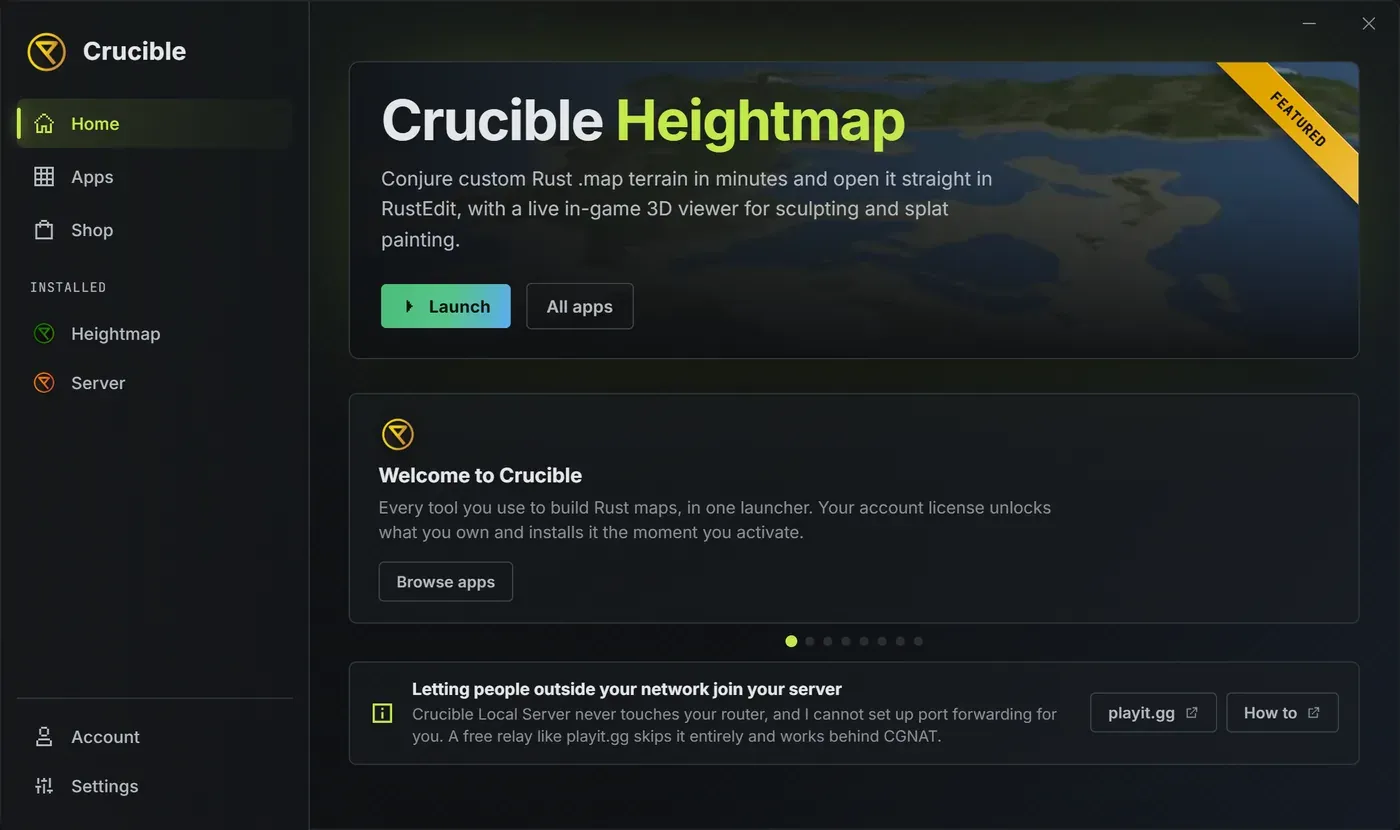
The Crucible launcher Home screen
Home is the first screen of the Crucible launcher, the front page for every Crucible app. It opens straight to it, with nothing to set up first.
What is the big banner on Home?
Section titled “What is the big banner on Home?”The banner at the top is the featured app, currently Crucible Heightmap. Its main button follows where you are with that app:
- Get Plan opens the Shop with Crucible Heightmap already picked. See the Shop tab.
- Install adds the app to this PC.
- Update brings the app up to date.
- Launch opens it.
- Coming soon shows when the featured app is not out yet.
All apps next to it jumps to the Apps tab, your full list. See install and manage your apps.
What are the cards under the banner?
Section titled “What are the cards under the banner?”A row of cards introduces Crucible one after another: the apps, the Shop, the Agent tab, the docs and the community. They move on by themselves and pause while your mouse is over them.
- The dots under the cards jump to any card.
- The mouse wheel, or a click on a card, steps through them too.
- Each card has buttons for what it talks about, such as Open the Agent tab or Browse apps. Some open your browser.
- With Reduce motion on in Settings, the cards only move when you move them.
What is the note at the bottom?
Section titled “What is the note at the bottom?”It answers the question server owners ask most: how do players outside your home network join your server. playit.gg is a free relay that lets them in without port forwarding, and its How to button opens the docs page on it. See can players outside my network join my server.
What else is always on screen?
Section titled “What else is always on screen?”- The rail on the left holds Home, Apps, Shop, Agent, Account and Settings, with your installed apps under Installed. A ! on one means an update is waiting.
- Guides and the language icon sit in the title bar. See Guides and language.
- A gold bar offers a newer launcher, a bar tells you when you are offline, and a progress bar shows an install or update with its speed and the time left.