Line tool
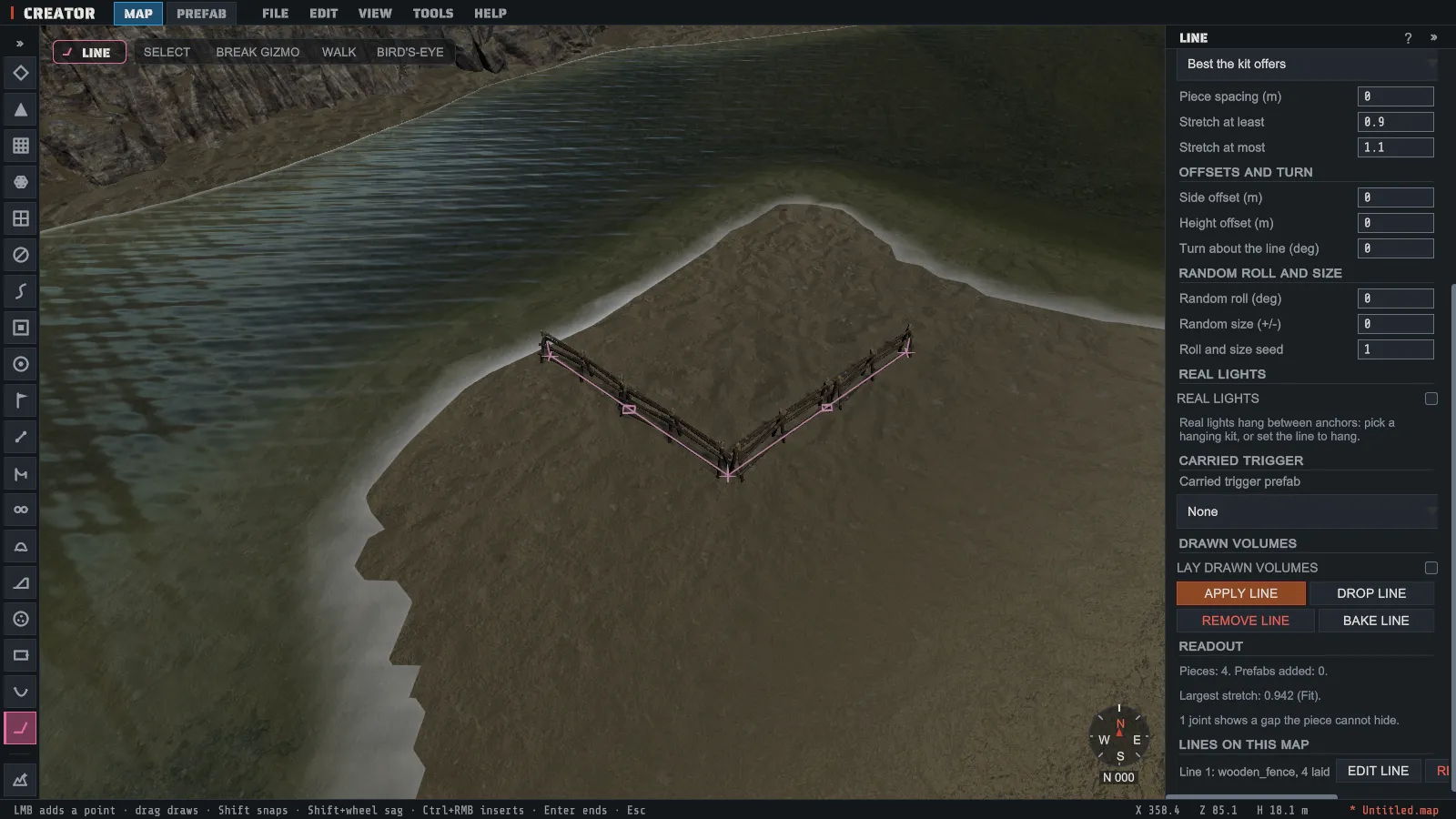
The Line tool lays prefabs along a line you draw. Pick a kit, click point one, then each corner or anchor, and finish at point two. Fences, walls, pipes and barriers repeat end to end with no gaps; a rug turns its corners; string lights, cables and chains hang between your points and sag the way they do in the game. Nothing is written to the map until you press APPLY LINE, and the whole line is one undo step.
Pick Line on the left rail, or TOOLS > Line. It has no shortcut until you give it one in Preferences > KEYBINDS. It works on the MAP tab.
Draw a line
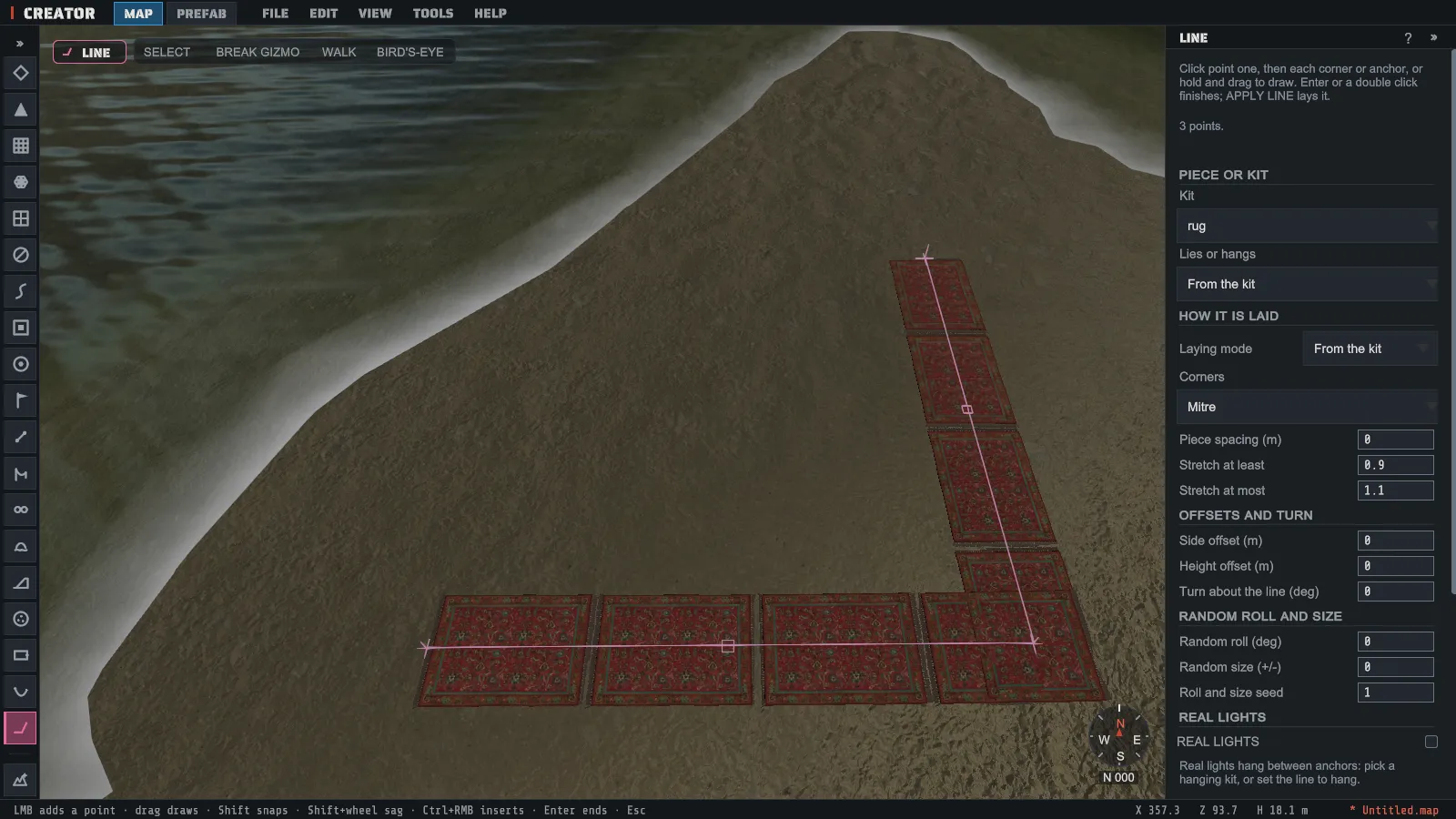
Section titled “Draw a line”- In the panel, pick the Kit: the family of pieces to lay.
- Click on the ground, a rock or a building for point one, then click each corner. A point lands on whatever you click, so a line can run up a wall or across a roof.
- Or hold the left button and drag to draw the line freehand. Creator keeps the corners and smooths the curves.
- Press Enter, double-click, or press FINISH LINE to finish at point two.
- Press APPLY LINE (or Enter again) to lay it.
While you draw, the pieces appear as they will be laid. Press Esc or DROP LINE to throw the line away; nothing reaches the map.
| Input | What it does |
|---|---|
| Click | Add a point: point one, then each corner or anchor |
| Hold and drag | Draw the line freehand |
| Shift while clicking | Snap the bend to 15 degrees, or to the kit’s own corner angles |
| Shift and the mouse wheel over a span | Make that span sag more or less |
| Drag a point | Move it |
| Drag the square in a span’s middle | Change how far a hanging span sags, or bend a flat one |
| Ctrl and the right button on a span | Add a point there |
| Backspace | Remove the last point |
| Enter or double-click | Finish the line; Enter again applies it |
| Esc | Drop the line being drawn |
The right mouse button on its own still flies the camera.
How the pieces are laid
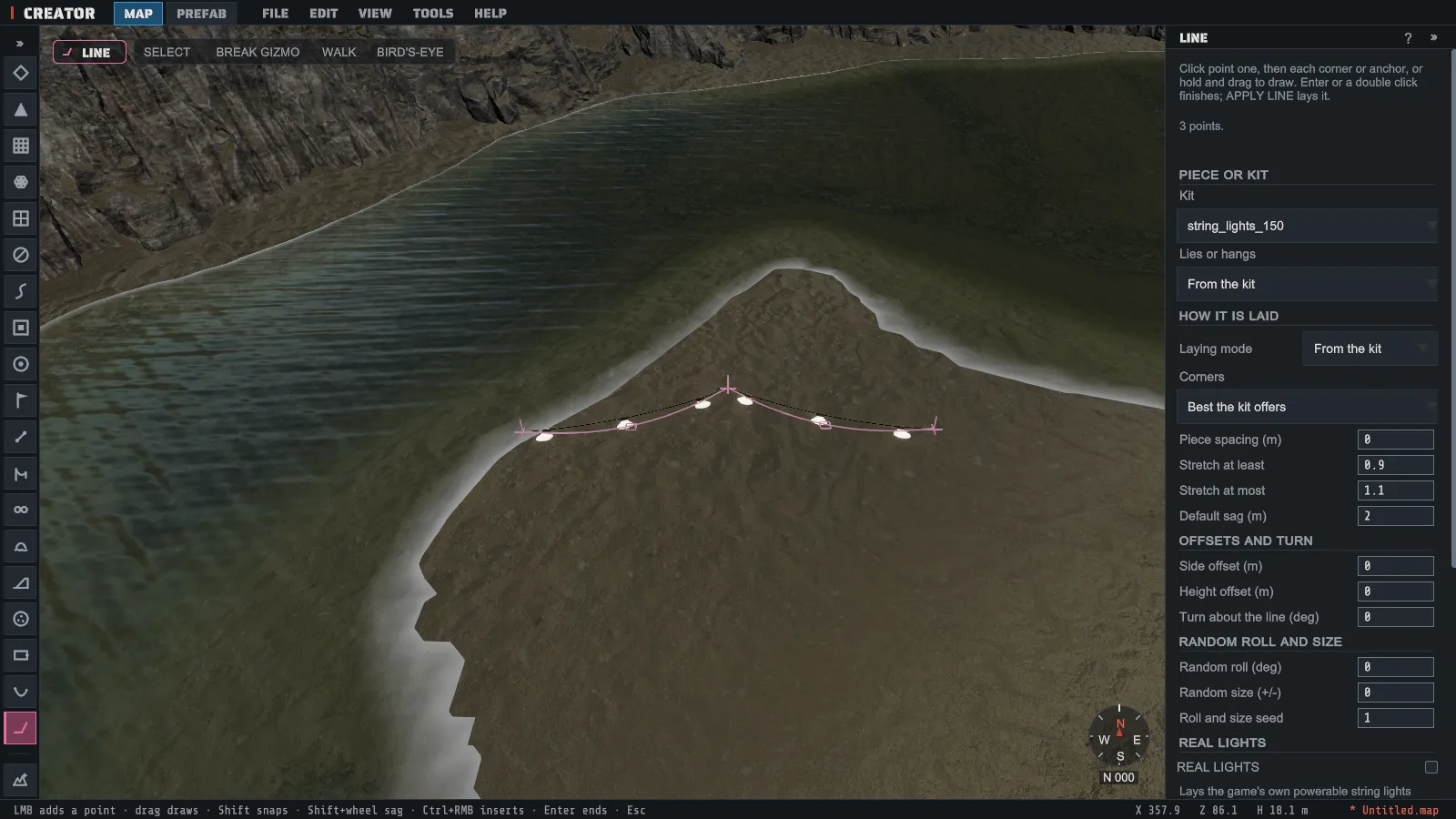
Section titled “How the pieces are laid”- Laying mode: Repeat lays each piece at its own size at the Spacing you set. Fit lays pieces end to end and stretches every piece of a leg a little so the leg fills exactly; Stretch at least and Stretch at most set how far, and outside them a piece is added or dropped. Stretch lays one piece per straight leg, stretched to fit. From the kit uses the kit’s own choice.
- Corners: the kit’s own corner piece where it has one, a Mitre where two stretched pieces overlap neatly, or a Joint where each leg ends on the corner. Best the kit offers picks for you.
- Lies or hangs: a rug or a fence lies along the ground or a wall; string lights, cables and chains hang between anchors. From the kit uses the kit’s own choice. Default sag is how far a new hanging span sags.
- On uneven ground: a rug follows the ground between your points, up and over a rise and down into a dip. A fence, a wall or a pipe runs straight from point to point, so if a leg would pass under a rise the Readout says which leg and how deep; add a point on the rise to keep it above the ground.
- Side offset, Height offset and Turn about the line move or turn every piece together.
- Random roll and Random size turn and size each piece a little, for vines and other natural pieces. The same Random seed always gives the same line.
Some pieces are kept at their true size by the game whatever you ask, so the tool repeats them and says so. The Readout shows how many pieces the line lays, the largest stretch, and anything the tool could not do.
Triggers along a line
Section titled “Triggers along a line”The Kit list also holds the game’s trigger prefabs: a kill line, a radiation strip, a no-build band and more. Pick one and draw the line as usual; Trigger width and Trigger height set its size. Boxes stretch along each straight leg and join at each corner the way the game needs for their kind; a round trigger is repeated instead, at the spacing it needs, and the Readout says so.
Any line can also carry a trigger along itself: pick it under Carried trigger prefab and set its width, height, side and lift. A ladder trigger on a vine makes it climbable; a damage trigger on barbed wire makes it hurt.
Before you apply, the Readout lists every place the line’s triggers meet, overlap or leave a gap, against each other and against the triggers already on the map, the same findings the Trigger Checker shows.
A trigger has no shape of its own in the view, so while the Line tool is open it outlines the line’s triggers itself and draws a line across each gap the Readout lists, even with VIEW > Volume Overlay off. Turn Volume Overlay on to see the triggers already on the map around it.
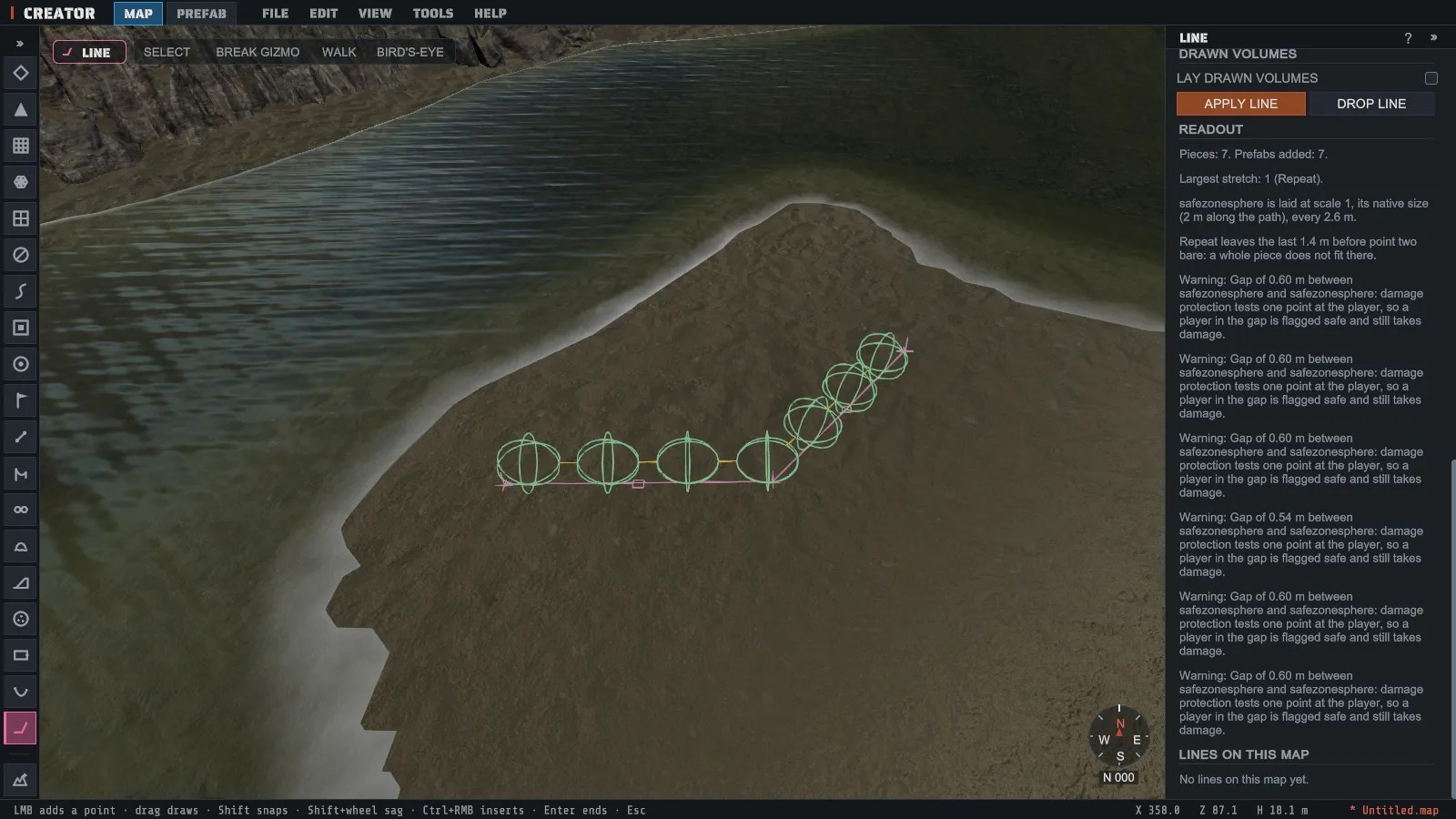
LAY DRAWN VOLUMES lays Creator’s own drawn volumes (radiation, comfort, no-build, safe zone, spawn or custom) along the line instead, one per straight leg. They follow bends cleanly for every kind, a safe zone included, but they work only on servers running Creator’s server extension.
Change or remove a line later
Section titled “Change or remove a line later”Each line remembers how it was drawn. Press EDIT LINE beside it under Lines on this map, or, once a line is finished or applied, click on another line on the map, and its points come back. Drag them, change the settings, and press APPLY LINE: the old pieces are replaced by the new ones in one undo step. A piece you moved by hand since the line was laid stays where you put it.
- REMOVE LINE takes the line and its pieces off the map.
- BAKE LINE keeps the pieces as ordinary prefabs and lets the line go, so it can no longer be reshaped.
The map file holds ordinary prefabs only, so a line works on every server and in every editor. What the line remembers is kept in the sidecar file beside the map.
Real string lights
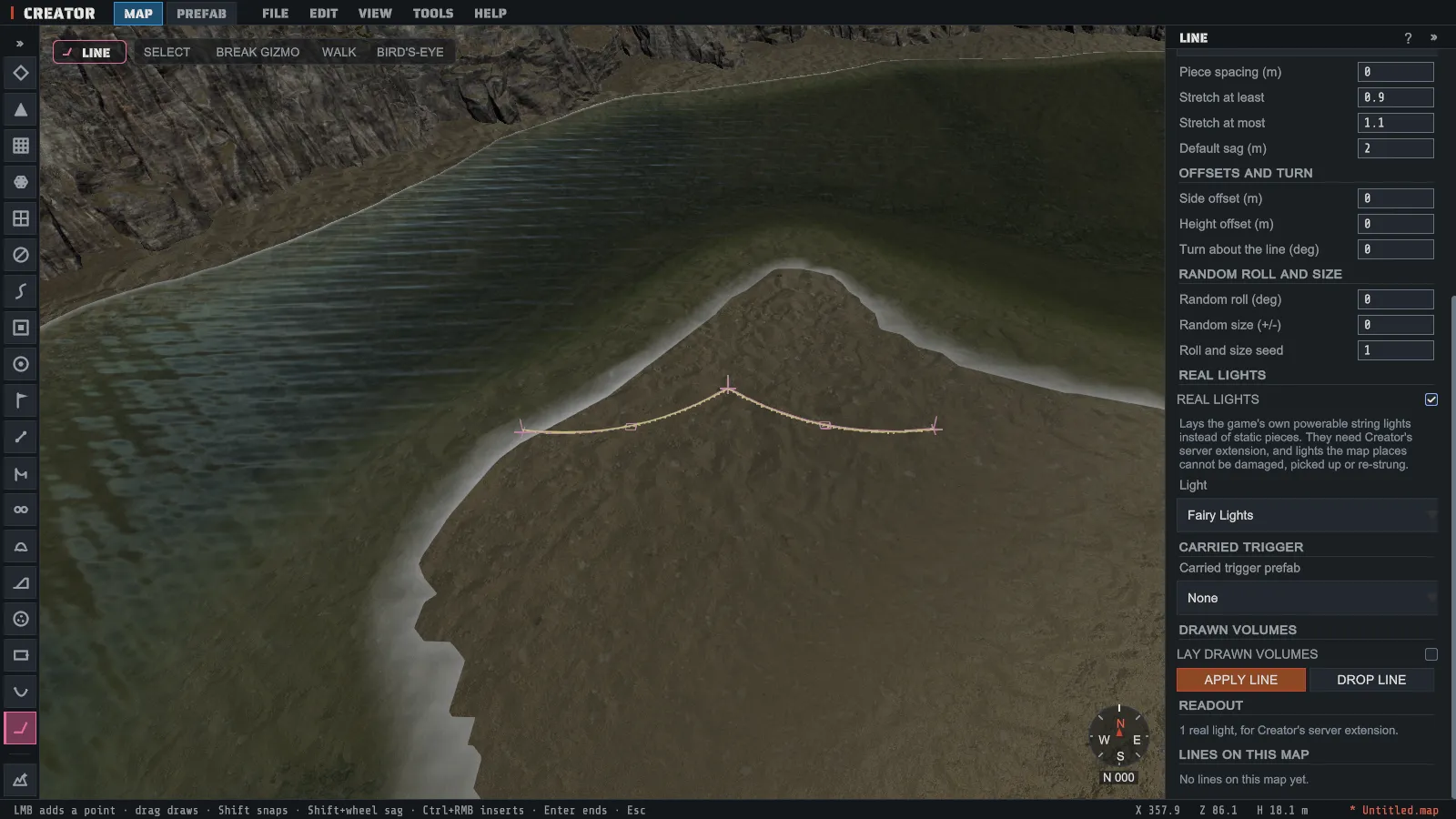
Section titled “Real string lights”For a hanging line, REAL LIGHTS lays the game’s own powerable string lights (Fairy Lights, Bulb String Lights or the Deluxe Christmas Lights) instead of static pieces, strung through your points with the sag you set. They need Creator’s server extension: a server without it shows no lights at all. Lights the map places cannot be damaged, picked up or re-strung by players.
Creator draws each light where it will hang: its wire with the sag the game gives it, and a short mark under each bulb. After APPLY LINE the map’s lights stay drawn in every tool, so you can see them while you work on the rest of the map. Nothing is placed for them: the map holds no prefab for a real light.